Find and layer sounds on your Nord Stage 4
Stop scrolling through slots on the panel. Find any program on your Stage 4 by name, lay one of our pads under it and save it as a scene.
Rehearsal night, ten minutes to go
The band is tuning, the coffee is still warm, and the band leader leans over: "Can we try the second song softer, with a pad under the piano?" You smile and say yes. Then you look down at your Nord Stage 4.
The little dilemma
The Stage 4 holds a lot of lovely sound. It also keeps its programs in banks of numbered slots, A:11, A:12, A:13 and on through the pages. Somewhere in there is the warm piano you love. Was it A:23? A:32? You start stepping through the numbers and listening, one by one.
At home that is part of the fun. With the count-in coming, it is not. We have all been there, and it is the reason we made the sound finder in KeyLayers.
Find a program by name
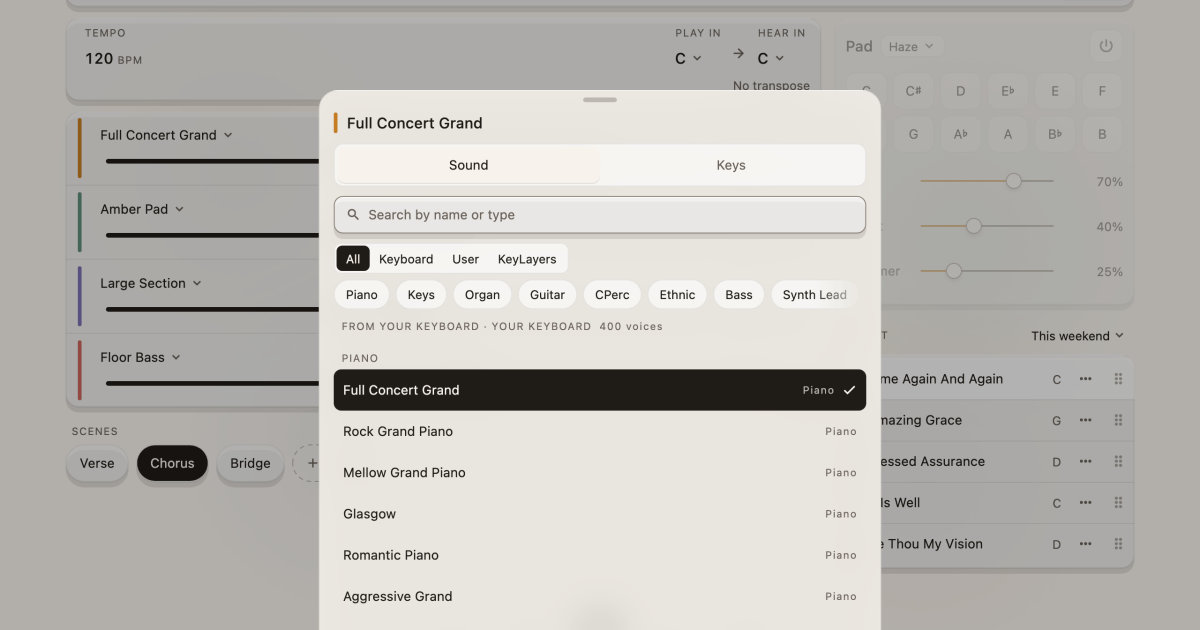
KeyLayers keeps the whole list for you on your phone, iPad or Mac, over one cable. Open a layer and tap Sound. Type part of a name or a type, like piano or organ, and the list narrows as you type. Pick one and the keyboard switches to it straight away.
Under the search box, three filters sort the list for you. Keyboard shows the Stage 4's own programs. KeyLayers shows the sounds we design and produce ourselves. All shows both, and every sound says whose it is, so you always know what is playing.
Add a little of ours
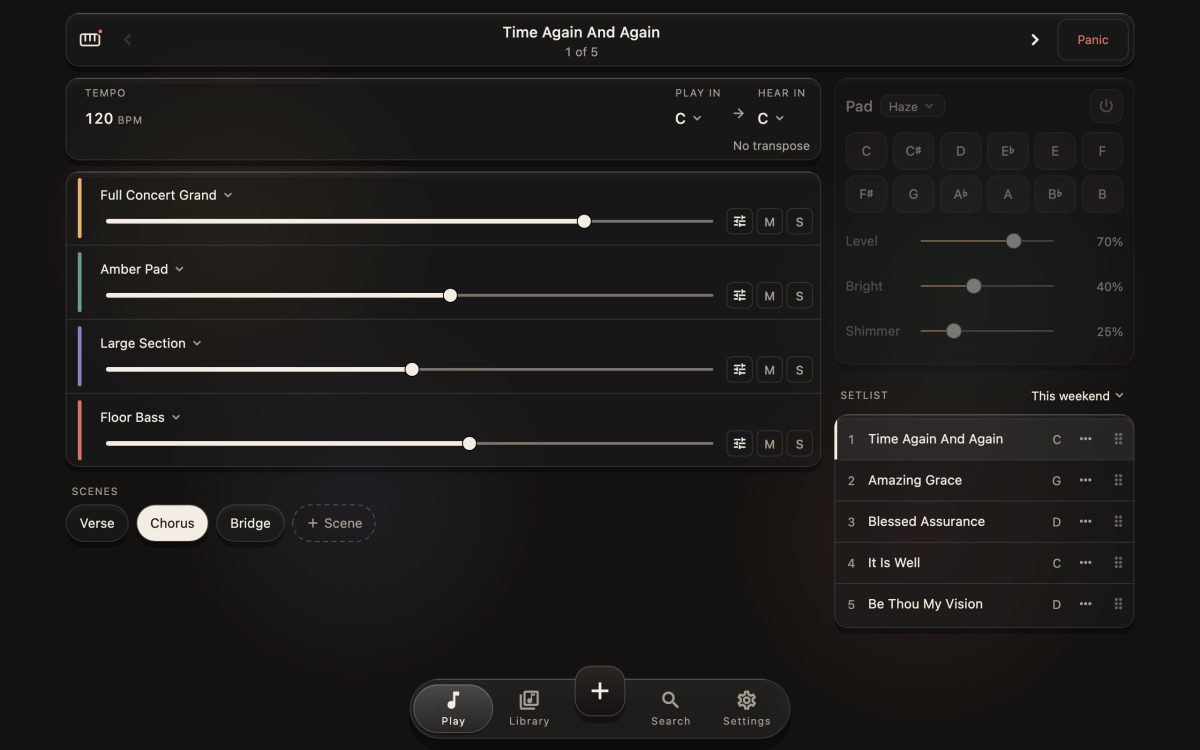
This is the part we like best. Keep your own piano on the first layer, then add one of our sounds on the next: Amber Pad underneath, Lush Strings for the chorus, Floor Bass down low. Each layer has its own volume, so you can tuck the pad in quietly.
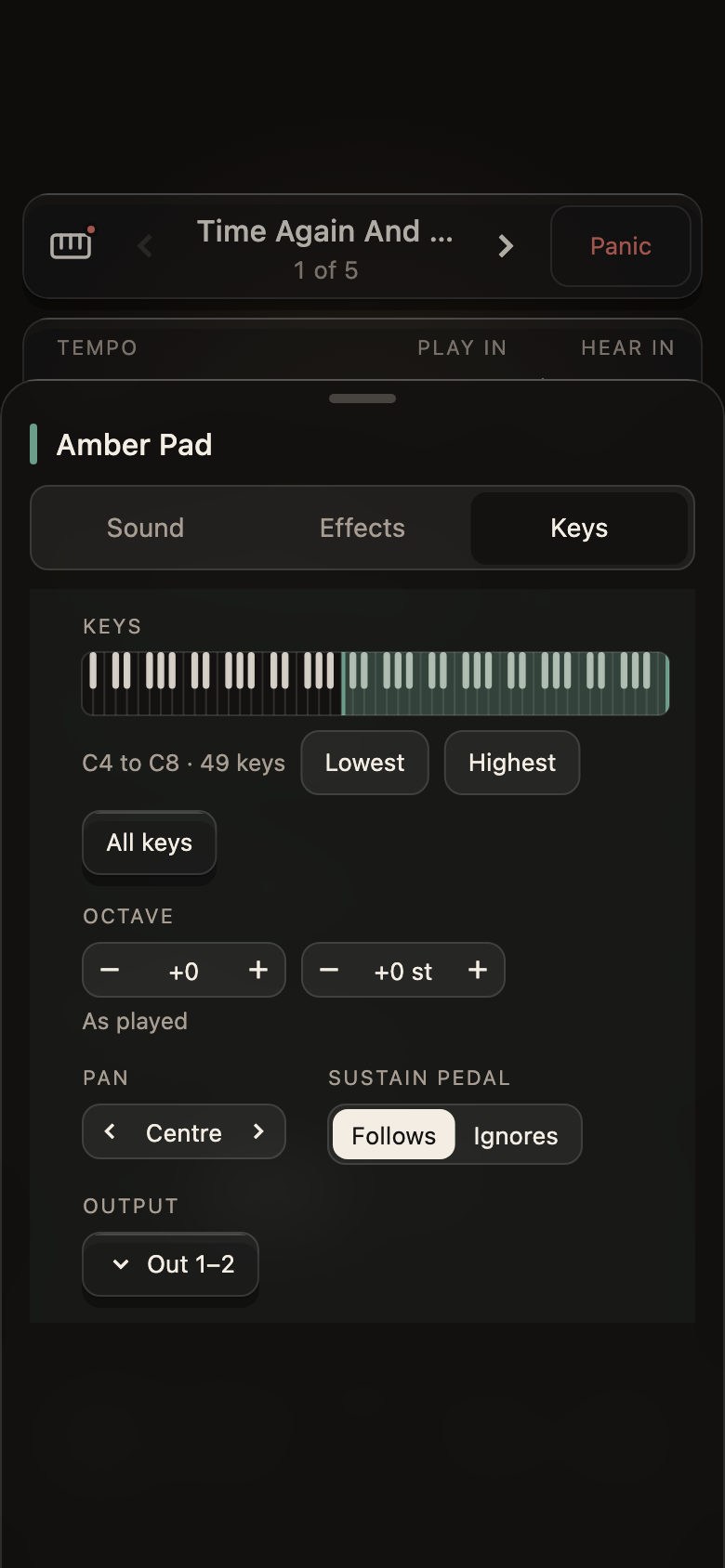
Want your left hand on bass and your right on piano? Give each layer its own range on the keyboard, and choose whether it follows the sustain pedal.
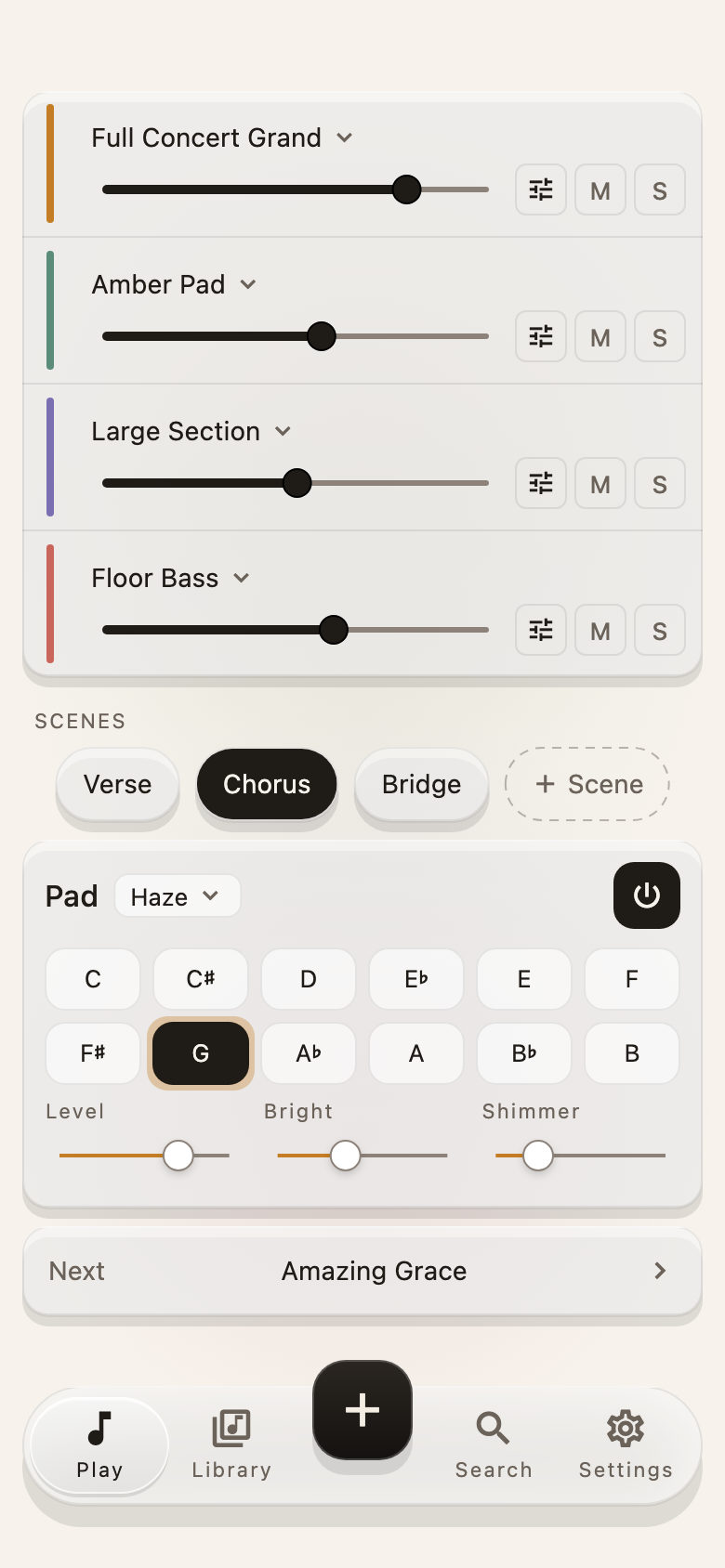
When it sounds right, save it as a scene, Verse or Chorus, and tap your way between them during the song. And for the quiet moments, at a gig, a rehearsal or a slow worship song, the pad plays a soft bed in any key you tap.
Come and play
So next time the leader asks for something softer, you type piano, add a pad, and you are ready before the count-in. Plug your Stage 4 into your phone, iPad or Mac and give it a try. There is more on Features and How it works, and the full list of keyboards is on Keyboards. We would love to have you.